Home / Modules / HRM
People & payroll
HRM
Employees, attendance, leave, payroll, recruitment, announcements, awards, and HR reports. The module ships bundled and active after install (Add-ons Manager version 1.0.2).
Turn the module on
Add-ons Manager: Active. Plan includes HRM. Give the user a role that can view, create, or edit HR records. Extra permissions: System Setup, clock in / out (Attend), leave approve, and payroll.
Sidebar: Dashboard → HRM Dashboard (headcount, present today, pending leave, payroll). Under HRM: Employees, Attendance, Leave, Payroll, Recruitment, Announcements, Awards, Reports, System Setup.
System setup
Configure these tabs before you import a large employee list: departments, designations, shifts, leave types, holidays, and salary components (earnings / deductions used on payroll).
Each list item has a name, optional color or code, flags, and sort order. You cannot delete a department or designation that still has employees.
Employees
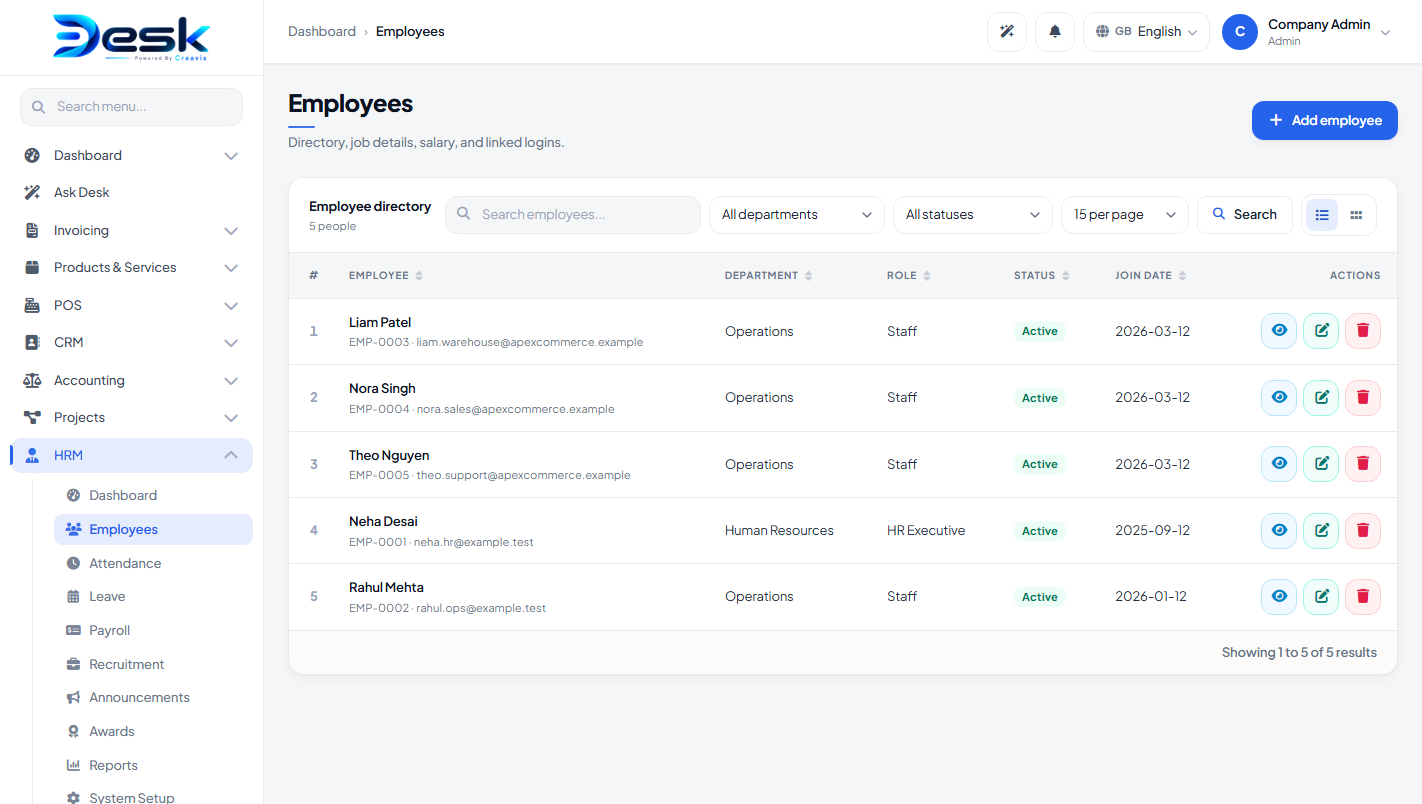
Fields include name, employee number, email, phone, department, designation, shift, status (active / inactive), join date, and optional desk user so that person can clock in from their own login.
Actions: create, edit, view profile, attach documents, and delete (when the role allows it). Filter by search, department, and status.
Attendance
Staff with Attend permission use Clock in / Clock out from the HRM Dashboard or the Attendance page. Managers can also add a manual attendance row (date, employee, in / out).
Leave
An employee (or a manager on their behalf) submits a leave request: type, dates, and notes. Approvers use Approve or Reject. The requester can Cancel a pending request. Balances follow the leave types you set in System Setup.
Payroll
Create a payroll run for a period. Process the run to build payslips from salary components. Mark a run or a single payslip as paid. Print the run or an individual payslip. Payroll permission is required to process or mark paid.
Recruitment
Post jobs, then add applicants and move them through the hiring stages on the job page. This is internal recruitment tracking — it does not publish a public careers site by itself.
Announcements, awards, reports
- Announcements — company HR notices for staff.
- Awards — attach an award to an employee (also visible on the employee profile).
- Reports — attendance, leave, payroll, and headcount, each with CSV export.
© Creavix Desk